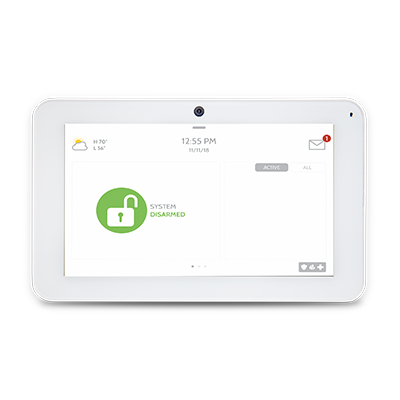
IQ Remote
The IQ Remote is a secondary tablet that pairs with the IQ Panel 2, IQ Panel 2 Plus, IQ Panel 4, and IQ Hub for the ability to control your system from a second access point in your home. This tablet will repeat chimes and voices so you can hear notifications for your system from multiple points in your home. The IQ Remote is great for bedrooms, basements, upstairs hallways, and home offices.
What can we help you with?
6 Articles
Get step-by-step help for your Simon XTi panel. Learn how to set up your smart panel, manage settings, and explore all its security features.
View instructions for connecting the IQ Remote to your panel.
Explore everything included with the IQ Remote Touchpad panel.
Troubleshoot an unresponsive Qolsys IQ Remote panel. Learn how to reboot, power cycle, and restore touch responsiveness to your device.
Troubleshoot panel communication failure on your IQ Remote Panel. Follow our step-by-step guide to restore connection to your Brinks Home security system.
Troubleshoot a low battery alert on your IQ Remote Panel. Find step-by-step instructions to replace the backup battery and keep your system running smoothly.