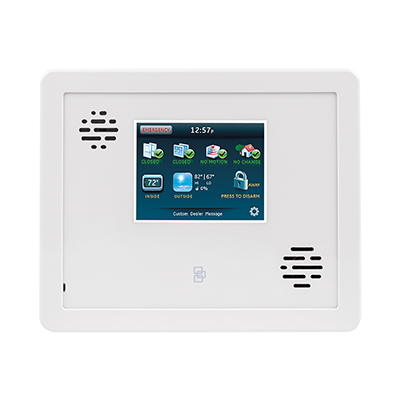
Simon XTi
The next-generation Simon XTi panel enhances the longstanding reliability and performance of the Simon XT with the advanced technology of the two-way talking touch screen. This self-contained security system offers exclusive image capture technology, combined with powerful security and color LCD touch screen convenience.
What can we help you with?
9 Articles
Discover how to operate your Simon XTi security panel. Find guides on touchscreen settings, system tests, and troubleshooting tips at Brinks Home.
Learn how to program a wireless door or window sensor to your Interlogix Simon XTi security panel with this step-by-step guide from Brinks Home.
Learn how to add Z-Wave devices to your Simon XTi panel. Follow step-by-step instructions to easily connect and configure your smart home devices.
Explore everything included with the Simon XTi panel.
Troubleshoot a non-responsive Simon XTi panel. Find step-by-step instructions to power cycle your control unit and restore your home security system's functionality.
Learn how to fix a panel communication failure on your Simon XTi panel. Follow our troubleshooting guide to resolve the error and restore your connection.
Learn how to replace the backup battery in your Simon XTi security panel. Follow our step-by-step guide to safely swap out the battery and clear alerts.
Learn how to address and clear a tamper error on your Honeywell Lynx Plus L3000 panel with these step-by-step troubleshooting instructions.
Learn how to troubleshoot and resolve a sensor malfunction on your Simon XTi security panel. Follow step-by-step instructions from Brinks Home.