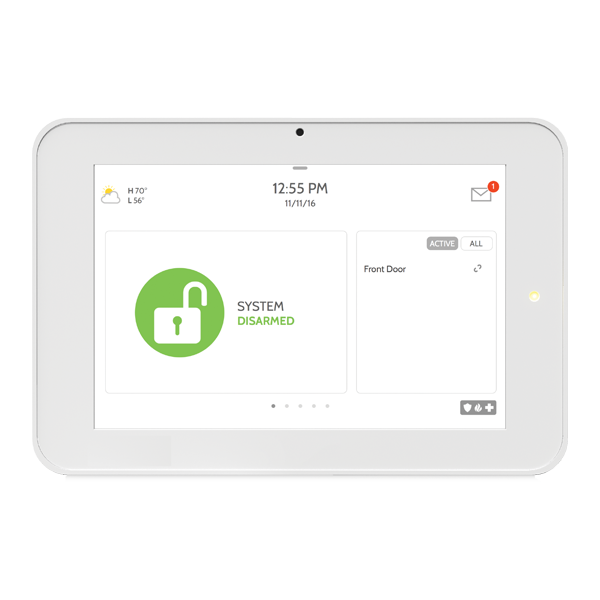
IQ Panel 2
The IQ Panel 2 is a 7” HD touchscreen with built-in 5MP camera and multiple wireless radios in a clean, elegant, modern user interface. The IQ Panel 2 keeps you connected to an entire ecosystem of smart devices giving you control over your entire home. Exciting features like touchless disarming using Bluetooth and a built-in glassbreak detector are enabled through powerful software.
What can we help you with?
10 Articles
Get started with your Brinks Home GC3/GC3e smart panel. Learn how to set up your security system, navigate features, and manage your home security.
Learn how to program a door or window sensor to your Qolsys IQ Panel 2. Follow step-by-step instructions to connect your smart home security sensors.
Learn how to add and connect a Z-Wave device to your Qolsys IQ Panel 2. Follow our easy step-by-step instructions to expand your smart home security system.
Learn how to connect your Qolsys IQ Panel 2 to Wi-Fi. Follow step-by-step instructions to program your network settings and stay connected at Brinks Home.
Explore everything included with the IQ Panel 2.
Learn how to fix a no arming issue.
Troubleshoot a panel communication failure on your IQ Panel 2. Follow our step-by-step guide to power cycle the system and restore your connection.
Learn how to safely replace the backup battery in your IQ Panel 2. Keep your Brinks Home system running smoothly.
Fix a panel cover tamper alert on your 2GIG GC2 GoControl panel. Follow these simple steps from Brinks Home to clear the tamper error quickly.
Troubleshoot and resolve a sensor malfunction on your IQ Panel 2. Follow step-by-step instructions to clear alerts and ensure system functionality.